Stage Pocket
AI generated setlist planner and stage cue desk with running times, transposed key labels and optional count in clicks.
Screenshots
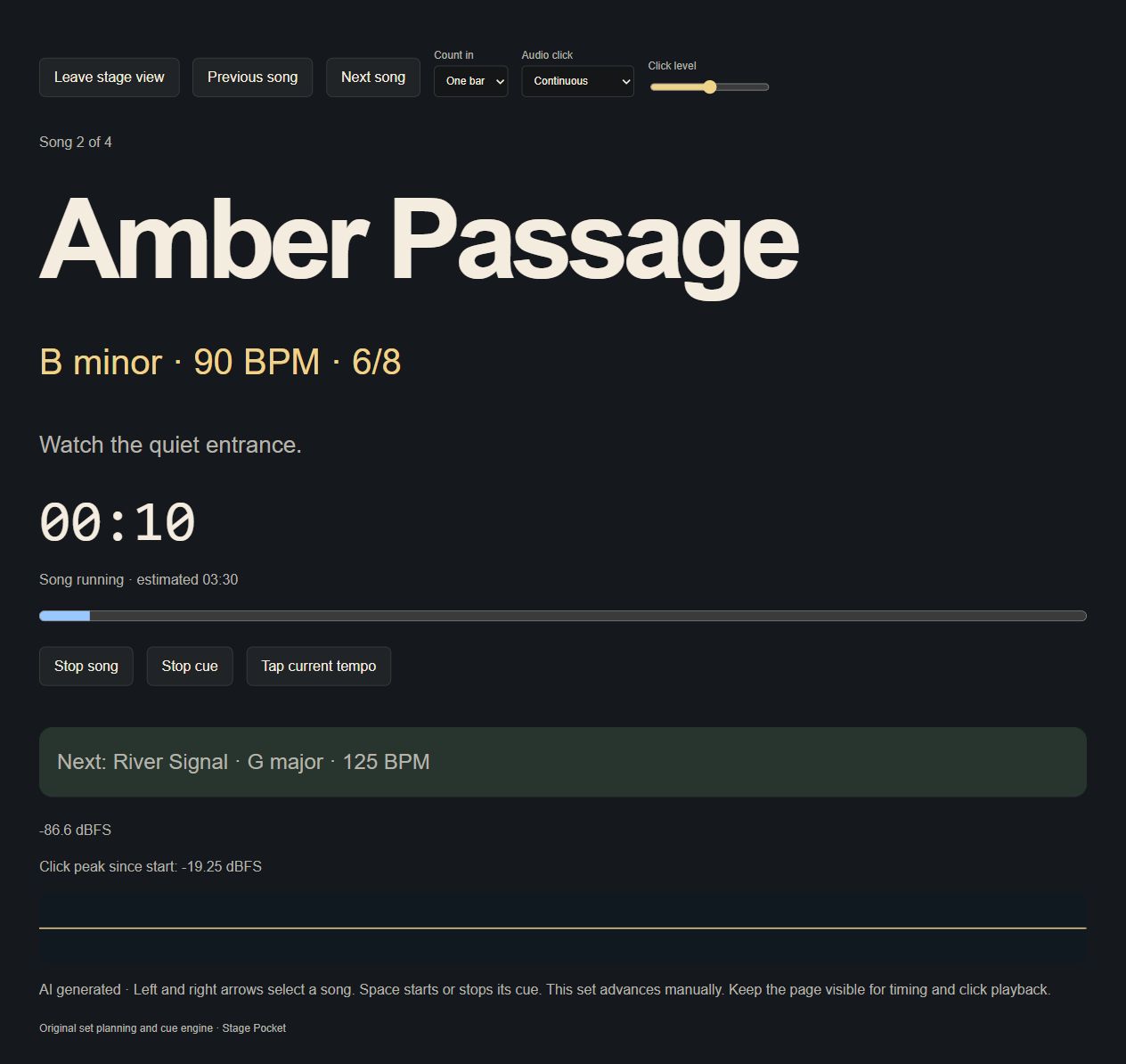
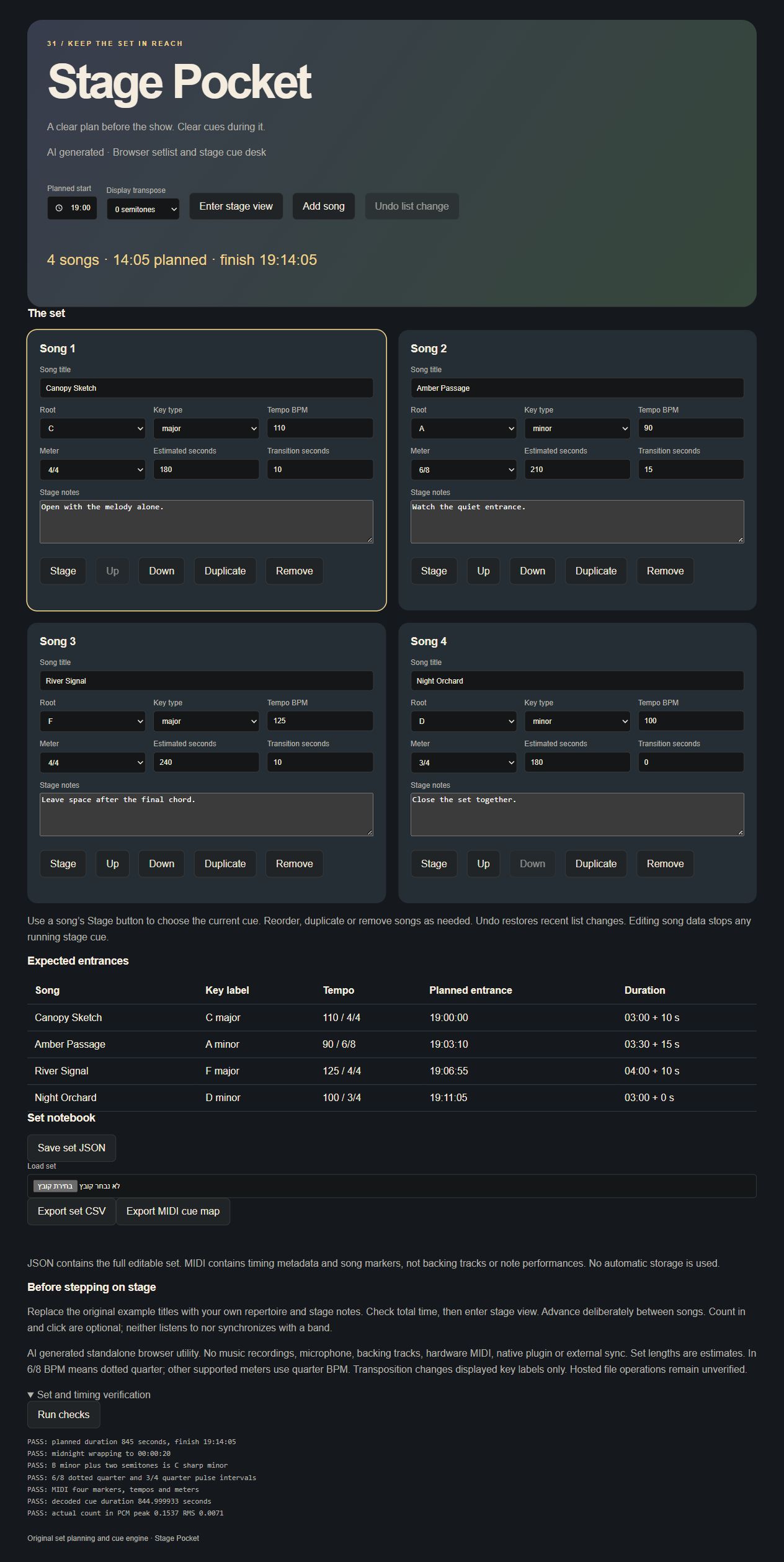
Screenshots supplied by the seller.
Description
AI generated. Stage Pocket keeps a live set organized in a clear performance view. Edit song titles, key labels, tempo, meter, estimated length, transition time and stage notes. Add, duplicate and reorder up to 32 songs.
The running time plan shows each expected entrance and the finish time. Transpose key labels for a shared set without changing the song data. On stage, advance deliberately, use optional count in and click cues, tap a tempo and track elapsed song time.
Save the complete set as JSON, export a CSV plan or create a MIDI cue map containing tempo changes, meter changes and song markers. No music recordings or external song catalog are bundled.
Condition
Development stage: Mostly built (seller-declared)
Seller-declared: provided by the seller, not independently verified by SellMyVibe.
- Solo creator
- Mainly AI-generated
- Under one month in development
- Tests included
- Setup guide included
- Demo available
What works
- Editable setlist up to 32 songs
- Reordering, duplication and removal with undo
- Key, tempo, meter, duration, transition and cue notes
- Planned start and finish times
- Global key label transposition
- Large stage view with current and next song
- Manual advance and song stopwatch
- Optional deliberate count in and click
- Tap tempo and silent visual operation
- Set JSON, CSV and MIDI cue map
- Scheduling, meter and MIDI verification
What’s unfinished
- No backing track playback, audio recording or native plugin
- No external device sync or hardware MIDI
- Completed downloads, reload and other browsers unverified
Included assets
Editable source code
Setup and usage documentation
Original sound definitions
Audio verification checks and notes
Real running screenshot
Technologies
HTML, CSS, JavaScript, Web Audio API
Setup requirements
Open index.html or serve the folder with any static HTTP server. Use a deliberate play action to enable audio.
Dependencies and ongoing costs
No third party libraries, paid APIs or required services. A current Web Audio capable browser is required. Optional static hosting can be free.
Known limitations
Standalone browser setlist utility. Stage duration is an estimate and the stopwatch follows the browser clock. It does not automatically advance songs. Key transposition changes displayed key labels only. Optional click follows the current tempo but is not synchronized to external audio. MIDI cue map uses estimated song and transition durations converted to each song tempo. It contains markers and timing metadata, not musical note performances. No automatic storage is used.
Listings are reviewed for completeness and clarity before publication. Approval is not a guarantee of quality, ownership, security or commercial success. Read the details and ask questions before buying.