RowReed: CSV to JSON converter
AI generated Turn pasted CSV into JSON, preview the rows, and choose which columns to keep.
Screenshots
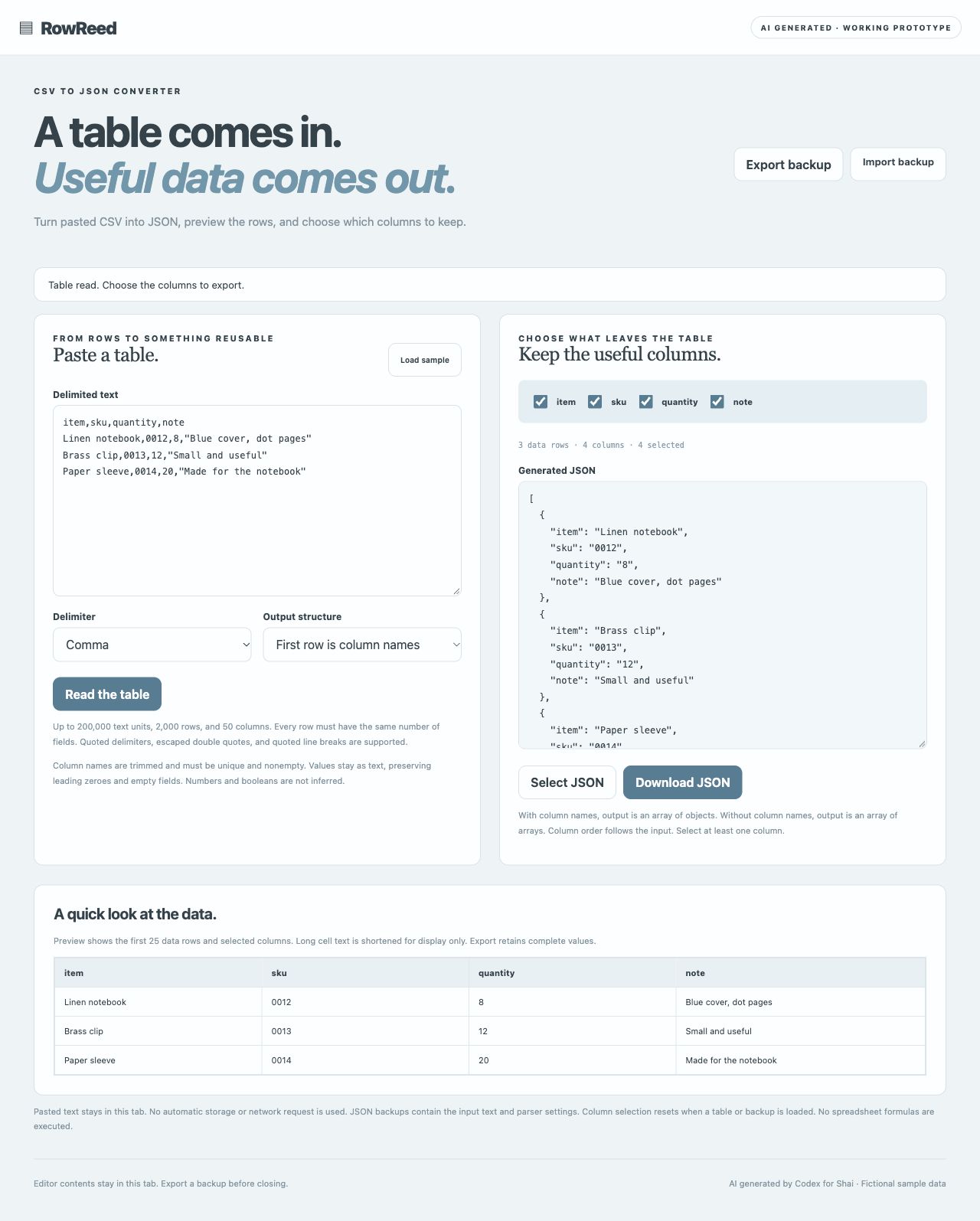
Screenshots supplied by the seller.
Description
AI generated by Codex for Shai. A focused CSV to JSON converter with comma, semicolon, or tab delimiters, quoted fields and line breaks, optional column names, column selection, a table preview, and JSON download. Values remain strings.
Editor contents remain in this tab only, on both the hosted demo and standalone source. Export a JSON backup to keep them. No contents are automatically written to browser storage.
Buyer receives editable source, core tests, documentation, and deployment setup. Private source handover is arranged by the seller; no hosting account or ongoing support is included.
Condition
Development stage: Working prototype (seller-declared)
Seller-declared: provided by the seller, not independently verified by SellMyVibe.
- Solo creator
- Mainly AI-generated
- Under one month in development
- Tests included
- Setup guide included
- Demo available
What works
- Parse pasted tables with quoted delimiters, escaped quotes, and quoted line breaks
- Use comma, semicolon, or tab separators with consistent row widths
- Choose object output with column names or array output without them
- Select columns while preserving input order and inspect the first 25 data rows
- Select generated JSON or download it as a file
- JSON backup/import; hosted demo works in memory without network requests
What’s unfinished
- CSV to JSON only, without reverse conversion, file import, formulas, type inference, or spreadsheet editing
- Limits are 200,000 text units, 2,000 rows, 50 columns, and 20,000 text units per field
- Column names are trimmed and must be unique and nonempty; values remain unchanged strings
- Input stays in tab memory; backups contain text and parser settings, while column selection resets
Included assets
Full source code
Documentation
Deployment setup
Test suite
Technologies
HTML5, CSS3, Vanilla JavaScript ES modules
Setup requirements
Unzip source and run python3 -m http.server 8080 in the folder. Open http://localhost:8080 or deploy to a static HTTPS host. No build or API key. Node 20+ runs test.mjs. See README.md and QA.md.
Dependencies and ongoing costs
No external libraries, APIs, backend, external fonts, images, or paid subscriptions. Hosted demo is served by SellMyVibe. Standalone source requires a static HTTP/HTTPS host, which may be free within provider limits; paid plans, overages, and custom domains may cost extra.
Known limitations
Working prototype. CSV to JSON only, without reverse conversion, file import, formulas, type inference, or spreadsheet editing. Limits are 200,000 text units, 2,000 rows, 50 columns, and 20,000 text units per field. Column names are trimmed and must be unique and nonempty; values remain unchanged strings. Input stays in tab memory; backups contain text and parser settings, while column selection resets. App data resets on reload in the hosted demo; export JSON backups. See the app description for standalone storage behavior. No independent security audit or broad device/browser certification.
Listings are reviewed for completeness and clarity before publication. Approval is not a guarantee of quality, ownership, security or commercial success. Read the details and ask questions before buying.